Before you connect a client
- Open SourceShelf > Settings > Integrations.
- Enable Local MCP sharing.
- Open Packs and select a saved pack.
- Save any outstanding changes.
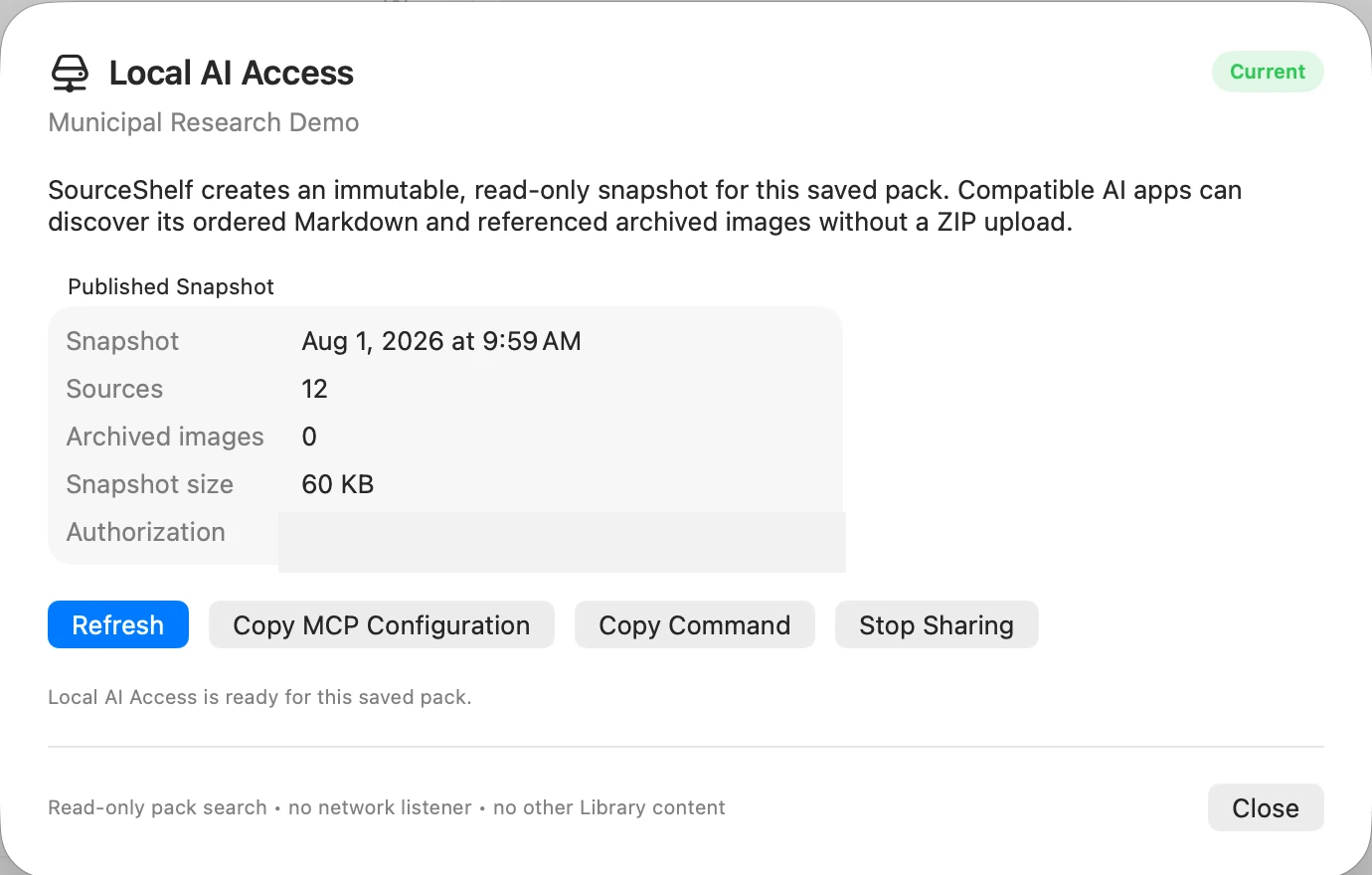
- Choose the visible Local AI status or Pack Actions > Local AI Access….
- Review the fresh Trust & Safety result. If it has warnings or readable-source errors, explicitly choose Share with Issues to continue.
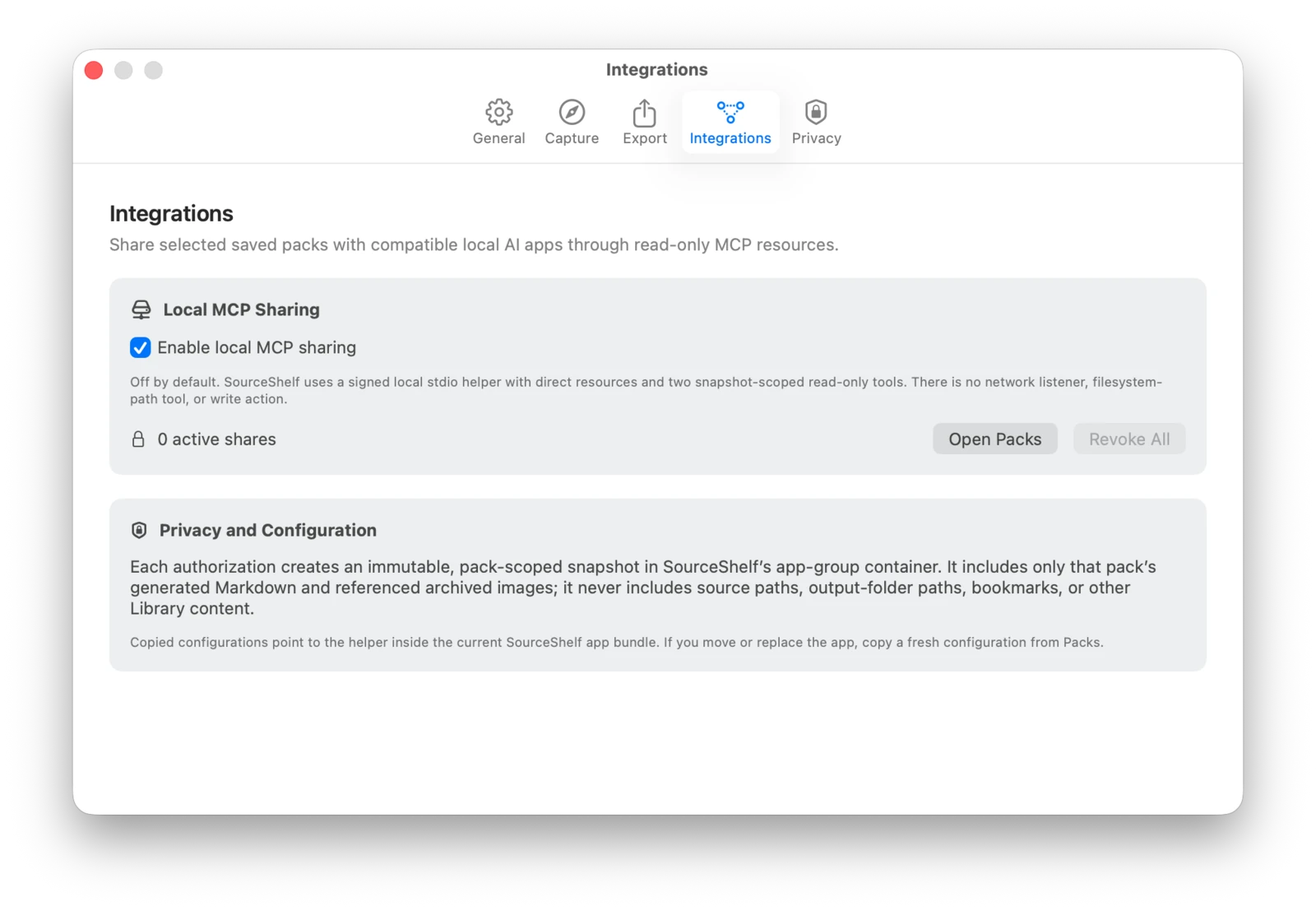
An untitled or dirty pack cannot be shared. A pack with no readable sources is blocked.
What SourceShelf publishes
Each authorization creates a random share ID and an immutable snapshot containing only the selected pack:
- a pack overview with ordered source links;
- a generated
llms.txtindex; - a public JSON catalog;
- one Markdown resource per readable source;
- referenced archived images;
- checksums and an internal URI allowlist.
The snapshot does not include source-file paths, output-folder paths, security bookmarks, unrelated Library items, or write access.
Text reads prepend an untrusted-reference notice without changing the stored Markdown body. Every requested URI is checked against the snapshot allowlist and its SHA-256 checksum before it is served.
Resources and tools
The server exposes discoverable sourceshelf://pack/... resources and two read-only tools:
search_pack(query, limit)
Searches the shared pack locally and returns ranked excerpts plus resource URIs. Search is deterministic and lexical; it does not use embeddings, make network requests, or call a model.
read_pack_resource(uri, cursor, max_characters)
Reads a text resource in bounded pages. The cursor lets a client continue through a long source without overfilling a smaller model’s context window.
This pair is especially useful for local models: the model can search narrowly, read only the most relevant source sections, and cite their SourceShelf URIs. A compatible host still needs to let the model call tools.
Copy the connection details
The Local AI Access sheet provides:
- Copy MCP Configuration — JSON in the common
mcpServersformat used by LM Studio and several clients; - Copy Command — the helper executable plus
--shareauthorization argument; - Refresh — rebuild the snapshot after an explicit review when needed;
- Stop Sharing — revoke the authorization immediately.
Treat the copied share ID like a local access token. It is not a password sent over the internet, but any process running as your user that has the ID and helper path can request that snapshot.
Snapshot refresh and revocation
SourceShelf re-evaluates shares after relevant pack, Library, and trust-policy changes:
- If a fresh Trust & Safety result is ready, SourceShelf can replace the snapshot automatically.
- If new warnings or errors appear, the previous valid snapshot stays available and the share becomes Review Required.
- Select Refresh and confirm before publishing those changes.
- Deleting the saved pack revokes its share.
- Stop Sharing, Revoke All, or disabling Local MCP sharing invalidates copied configurations immediately.
The helper reloads registry and snapshot metadata for every request, so a running client cannot keep reading a revoked share.
Moving or updating SourceShelf
Copied configurations point to the helper inside the SourceShelf app. If you move, reinstall, or update SourceShelf, copy a fresh configuration from Local AI Access… so the AI client uses the current helper location.
Choose a client guide
See MCP troubleshooting if the helper exits, tools are missing, or a share is not current.
Protocol notes
SourceShelf’s helper uses MCP over stdio and supports the protocol version implemented by its bundled Swift SDK. The server publishes resources and the two read-only tools only; it does not publish prompts, write tools, subscriptions, or list-change notifications.
Further reading: MCP resources, MCP tools.