
Does SourceShelf replace a reference manager?
SourceShelf focuses on capturing, converting, organizing, and packaging source content. It does not currently provide formal citation-style or bibliography management.
Local research archive
Capture web research, convert common files, keep the results as portable Markdown, and organize related material into saved packs without handing your archive to a cloud service.
Product demonstration
Capture useful webpages and convert reports, presentations, spreadsheets, notes, images, and scans into local Markdown.
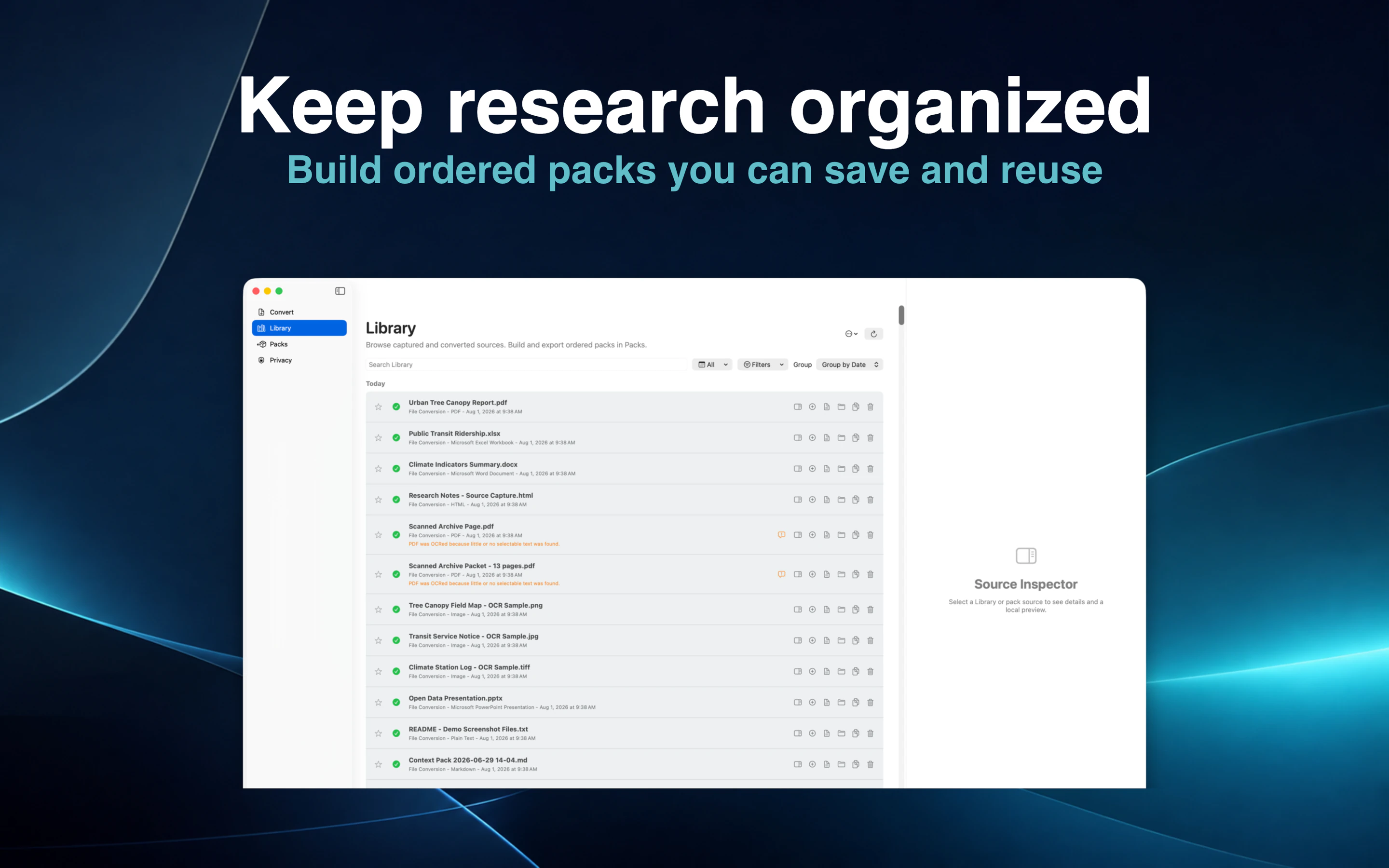
Search and filter the Library, inspect a source's provenance, and preview its local content.
Arrange related sources into ordered saved packs without moving them into a proprietary archive format.
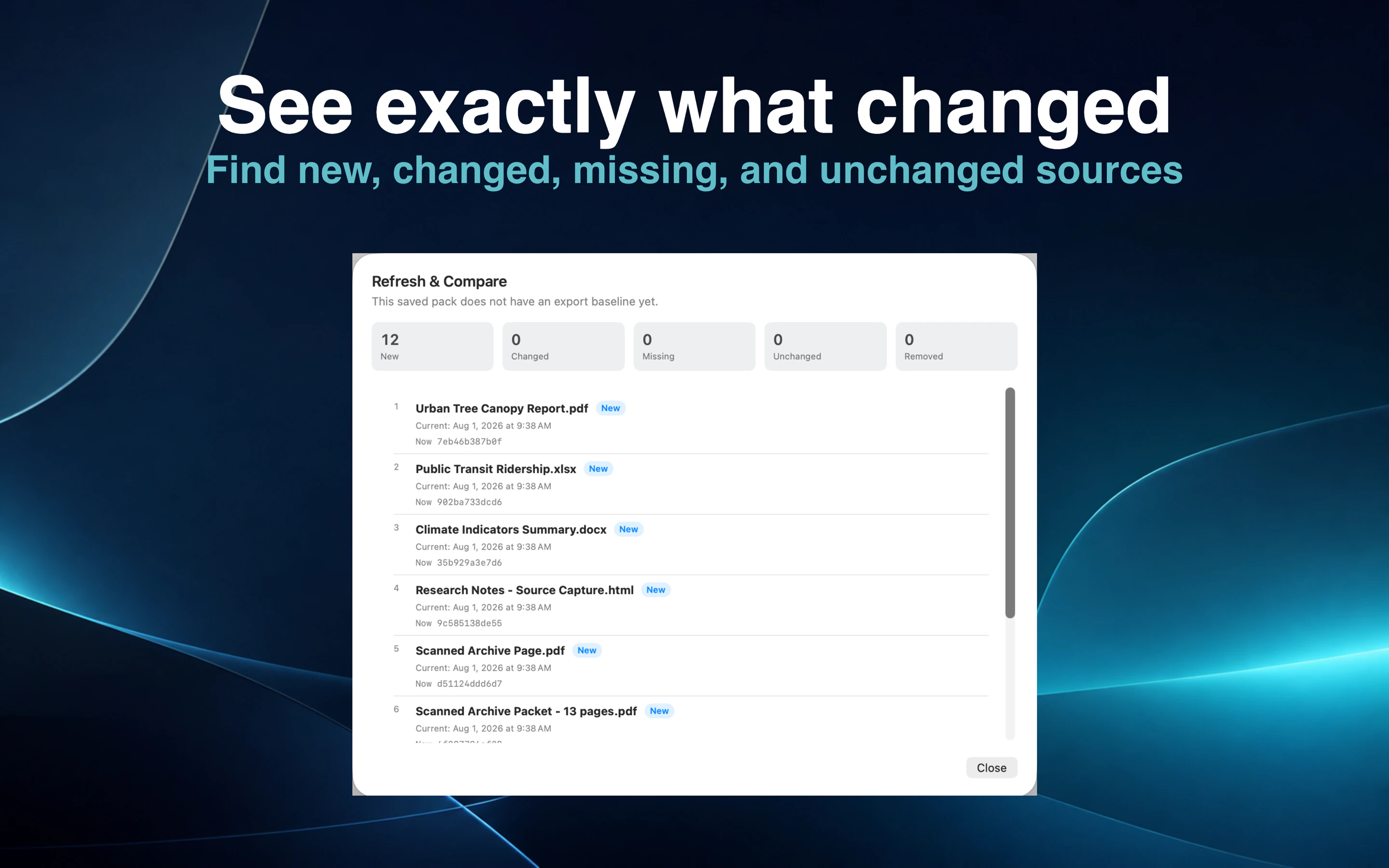
Edit Markdown with your preferred application and use Refresh & Compare to review changes deliberately.
Save a webpage while it is useful. Convert reports, slides, spreadsheets, images, notes, and scanned documents. SourceShelf keeps the resulting source in your Library until you explicitly remove it.
Generated sources retain useful provenance such as the original filename or URL, source type, and capture or conversion date.
Search and filter the Library by text, date, source, type, status, saved-pack membership, and other available fields. Star important sources and inspect the rendered content without opening several applications.
SourceShelf previews only local content and does not fetch remote assets while rendering a source.
Create an ordered saved pack for a paper, investigation, client, course, or long-running topic. The same source can support different packs without being duplicated into a proprietary database.
Missing source references remain visible so the user can resolve or remove them deliberately.
SourceShelf is not a full Markdown editor. Open a generated source in the Markdown application configured on your Mac, make the changes there, and return to SourceShelf.
Refresh & Compare detects the updated content before you export or refresh AI access.
SourceShelf does not silently prune older Library entries or upload them to an online account. Generated Markdown and exported packs remain ordinary files that can be backed up, moved, inspected, and used with other software.
How it works
Collect webpages and common document formats in one local Library.
Find a source, check its provenance, and preview its content.
Group related material into ordered collections for research or AI use.
Edit sources externally and use Refresh & Compare to understand changes.
Common questions
SourceShelf focuses on capturing, converting, organizing, and packaging source content. It does not currently provide formal citation-style or bibliography management.
They are written to the local output folder selected by the user.
Yes. Generated sources are normal Markdown files and open in the editor configured on your Mac.
No. Library sources remain until the user explicitly removes them.
Preserve useful sources, their provenance, and the freedom to use them with other tools.