Does SourceShelf run a local AI model?
No. It prepares and serves selected source material to compatible AI clients. You choose the model and client.
Focused context for AI
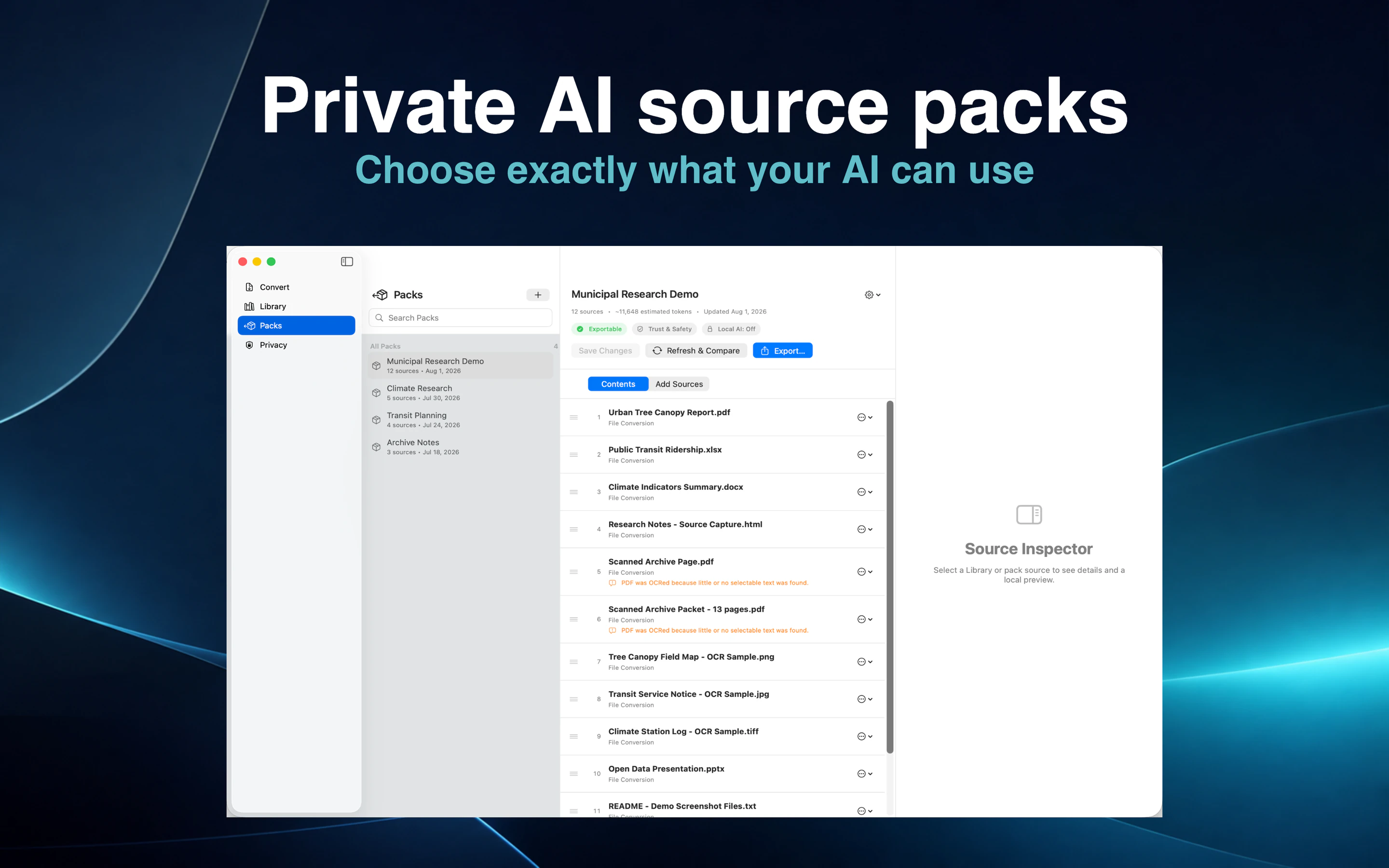
Choose the sources that matter, arrange them into a clear pack, and export portable AI context—or let a compatible AI client search the pack through a read-only local connection.
Product demonstration
Select the documents and webpage captures that belong to one task, then arrange them in a useful order.
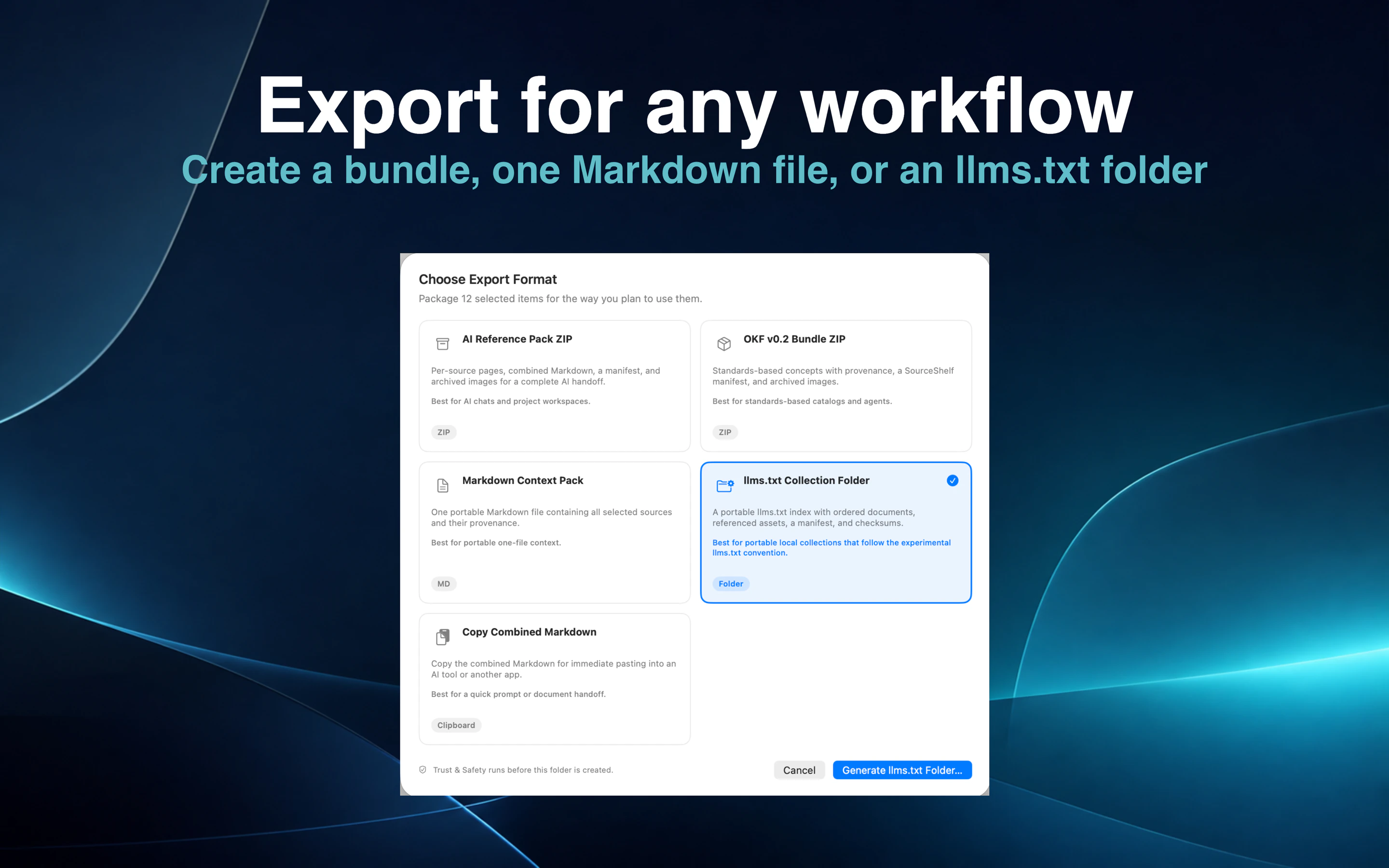
Review the pack size and choose a portable AI Reference Pack, Markdown Context Pack, llms.txt collection, or OKF bundle.
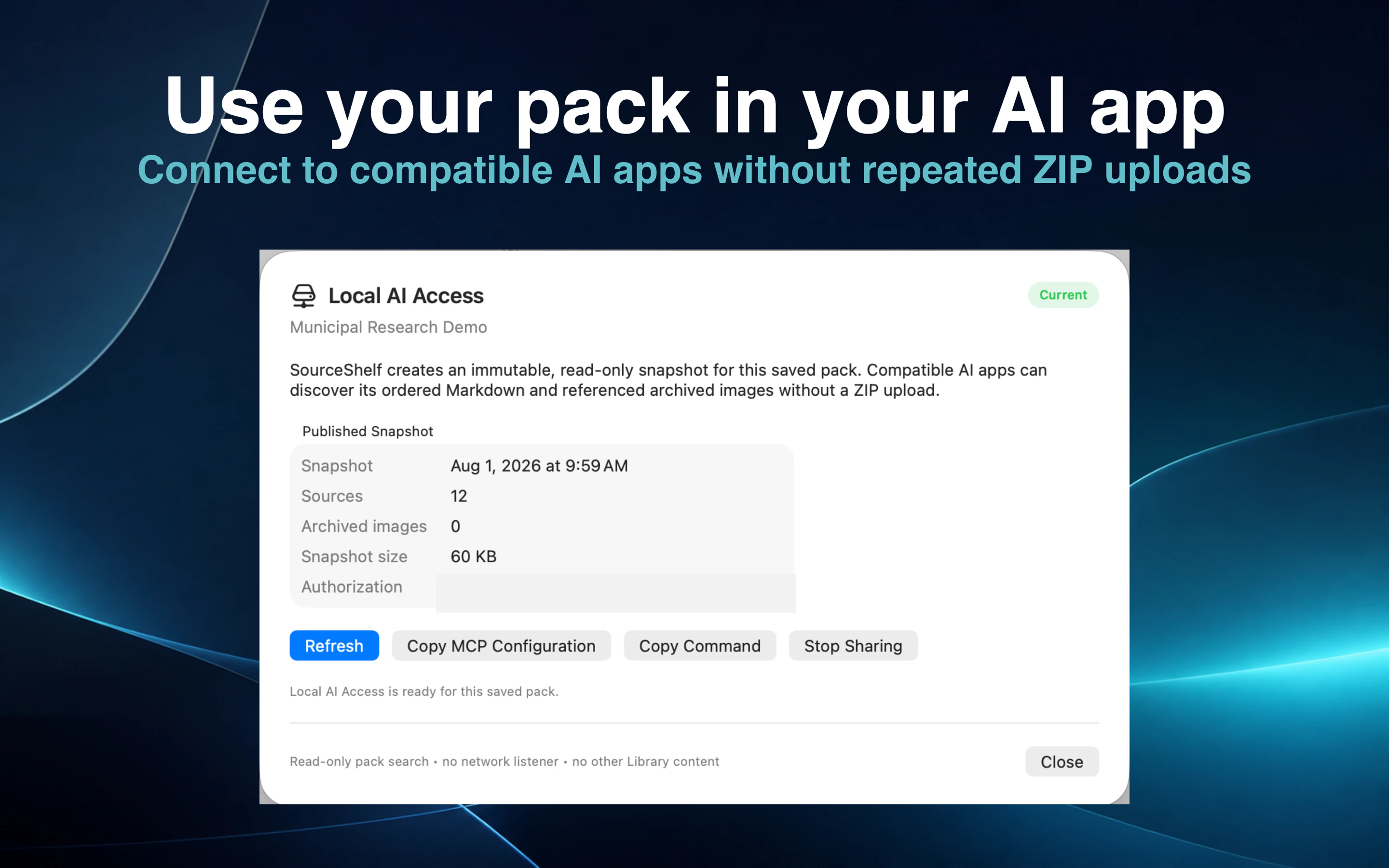
Alternatively, authorize Local AI Access so a compatible client can search and read a saved-pack snapshot.
Use Refresh & Compare later to understand source and ordering changes before deliberately publishing an update.
A local model often has less available context than a large hosted model. Instead of handing it every file in a project, SourceShelf lets you create a focused pack containing only the sources relevant to the task.
Compatible clients can search the pack and request bounded passages, helping the model use its available context on the material that matters. This can help, but it does not guarantee a better or more accurate answer.
Use an AI Reference Pack ZIP for project workspaces and AI chats, a Markdown Context Pack for portable one-file context, an llms.txt Collection Folder for an open local collection, or an OKF bundle for standards-based catalogs and agents.
AI Reference Packs can include structure-aware chunks with stable IDs, heading ancestry, provenance, hashes, and asset references.
SourceShelf does not create proprietary indexes or model-specific embeddings. The original Markdown remains usable with other tools and future workflows.
Export when you need a portable artifact. Use Local AI Access when a compatible client should search and read a saved pack directly.
Local AI Access creates a read-only snapshot rather than exposing live original files. SourceShelf refreshes a shared snapshot only when a fresh Trust & Safety result is available and the update is allowed.
After an export, Refresh & Compare records a local baseline and reports new, changed, missing, unchanged, and removed sources along with ordering changes.
This makes it easier to understand whether an AI reference pack still represents the current state of your research.
How it works
Choose the documents and captures that relate to one topic or task.
Order the sources and inspect the estimated context size.
Create a portable pack or authorize read-only access for a compatible AI client.
Compare the pack later and deliberately publish or export the changes.
Common questions
No. It prepares and serves selected source material to compatible AI clients. You choose the model and client.
No. It can create structured retrieval chunks, but it does not bundle model-specific embeddings.
An export creates a portable file or folder. Local AI Access lets a compatible client search and read an authorized saved-pack snapshot on your Mac.
No. The client receives access only to the snapshot of the saved pack you explicitly authorize.
Keep the source Markdown portable and choose whether to export or connect each saved pack.