Does SourceShelf include an AI model?
No. SourceShelf prepares and organizes knowledge for compatible AI applications. You remain free to choose the local or cloud-backed model you use.
Private AI knowledge base for Mac
SourceShelf captures webpages, converts documents into structured Markdown, and lets you build focused knowledge packs for compatible AI apps. Everything is prepared locally, and you decide exactly what AI can read.
Product demonstration
Begin by saving a useful webpage or converting documents and scans into local Markdown.
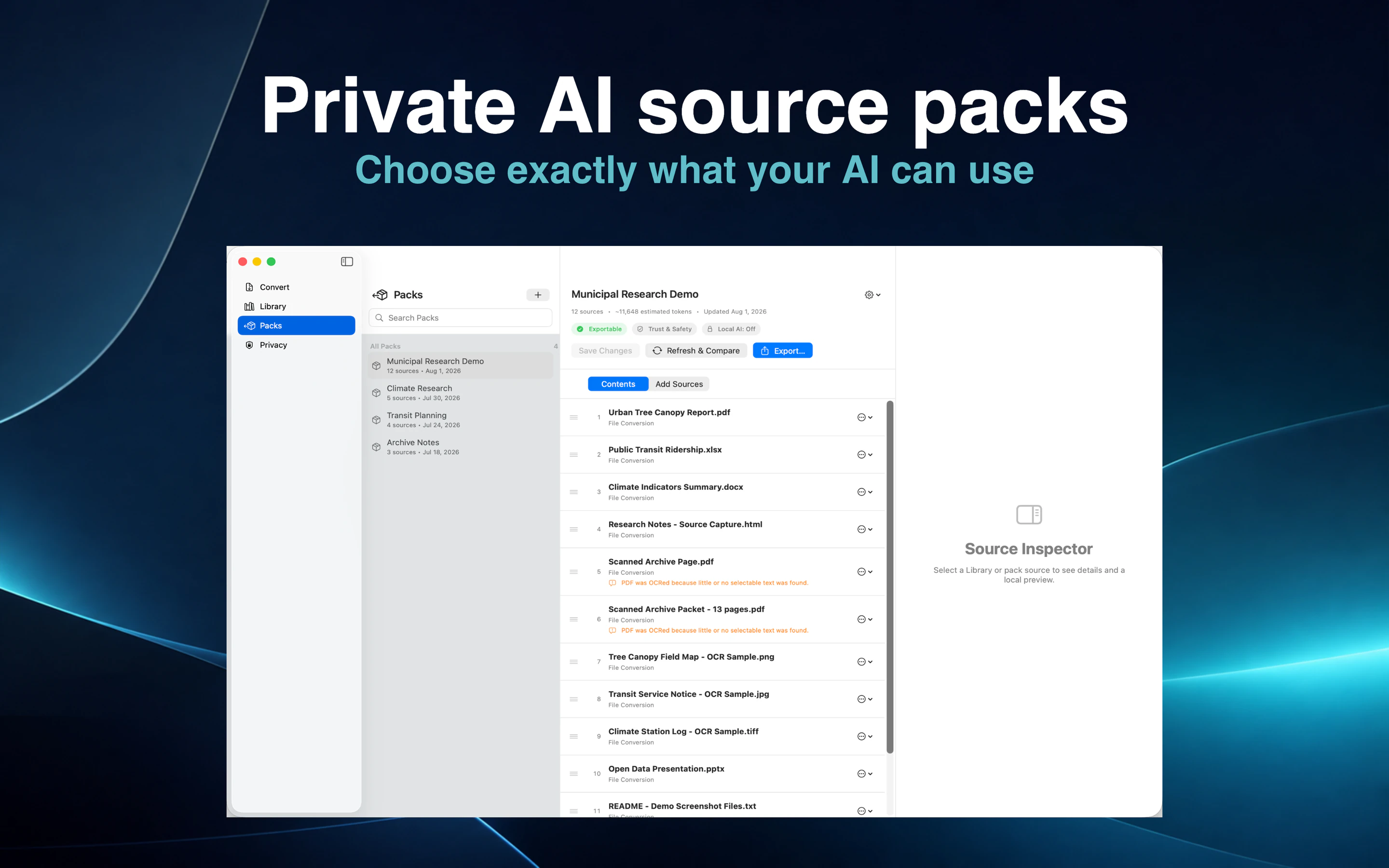
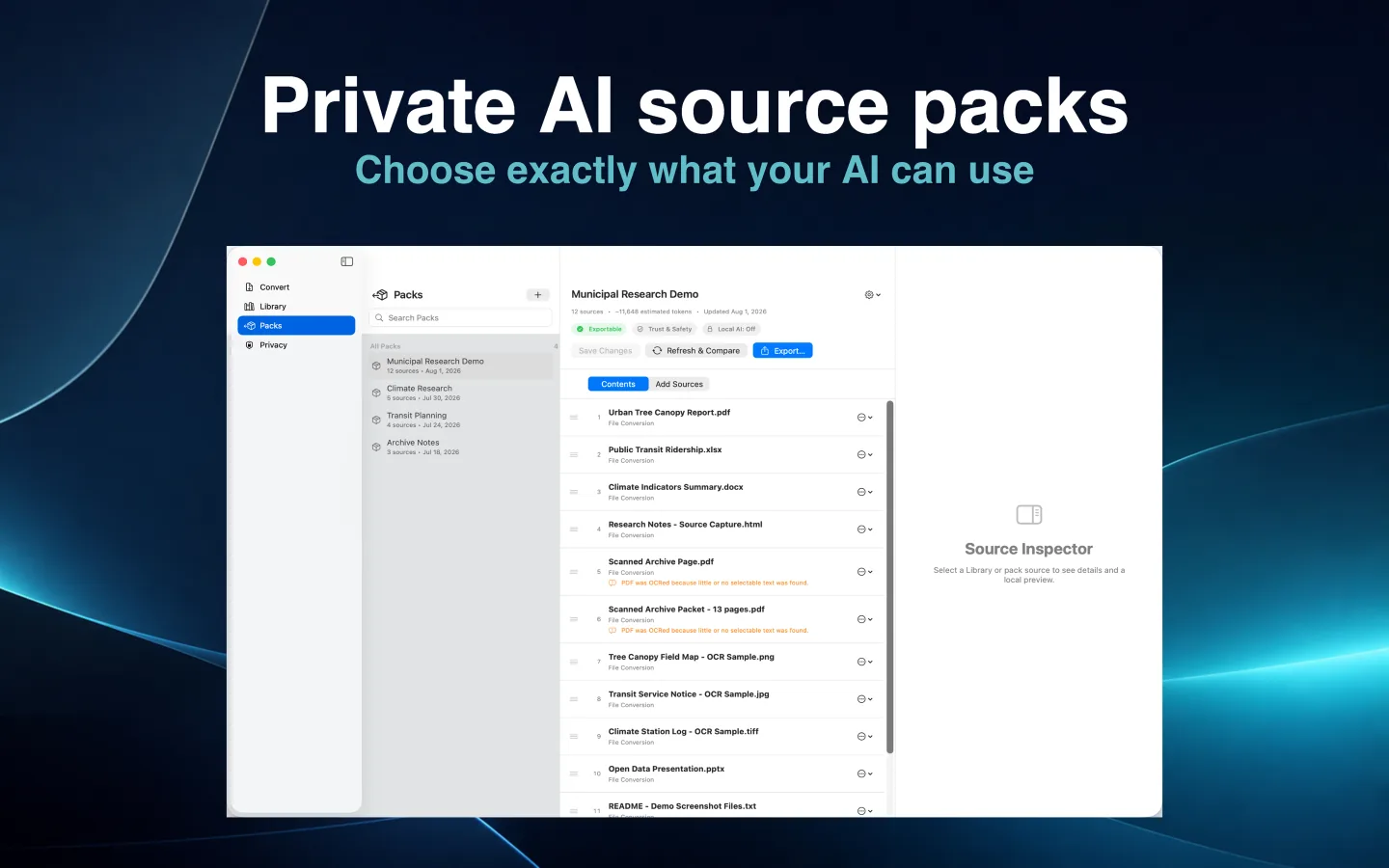
Search the SourceShelf Library, choose the sources that matter, and arrange them into an ordered saved pack.
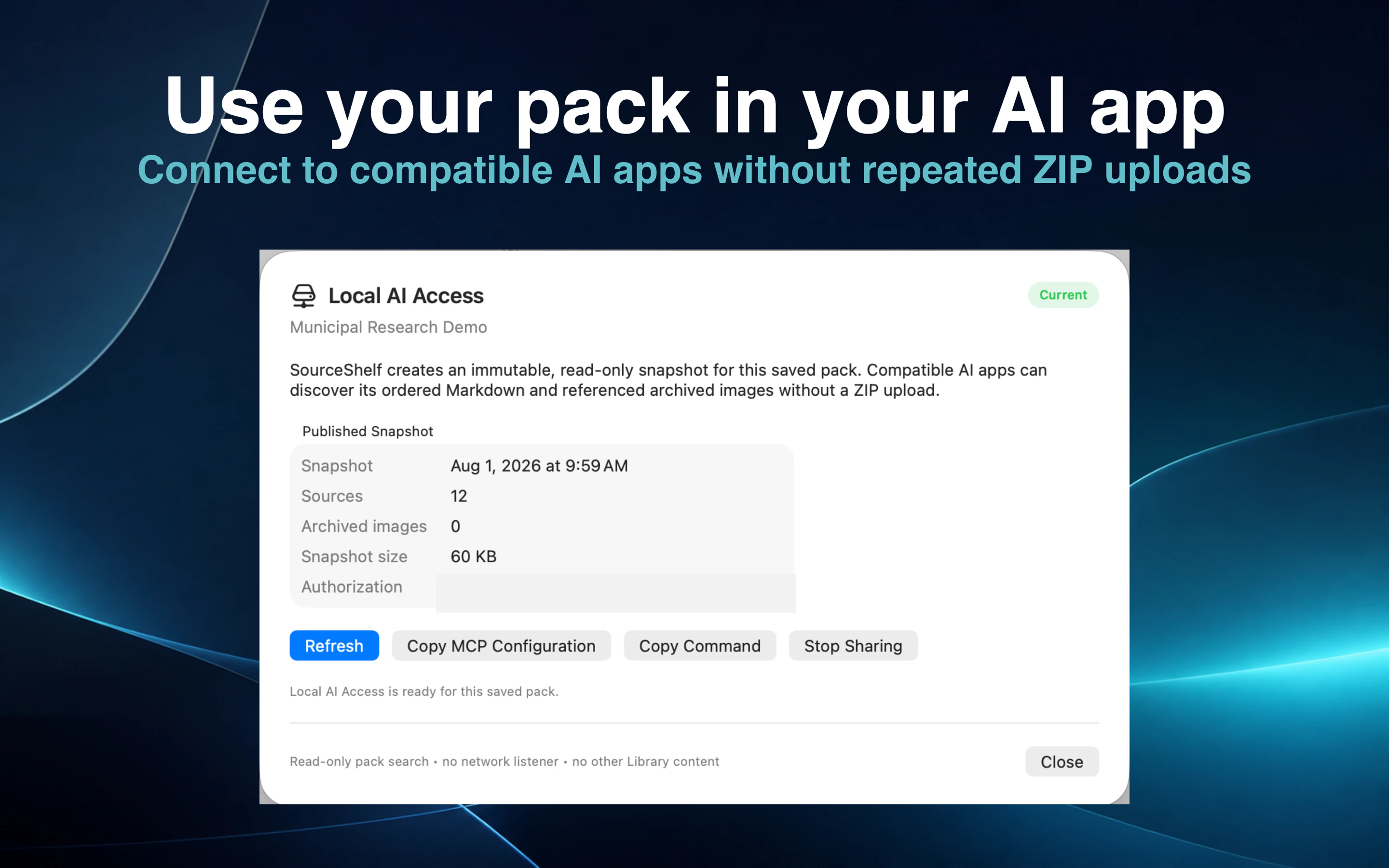
Export the pack as portable context or authorize an immutable, read-only snapshot for a compatible AI client.
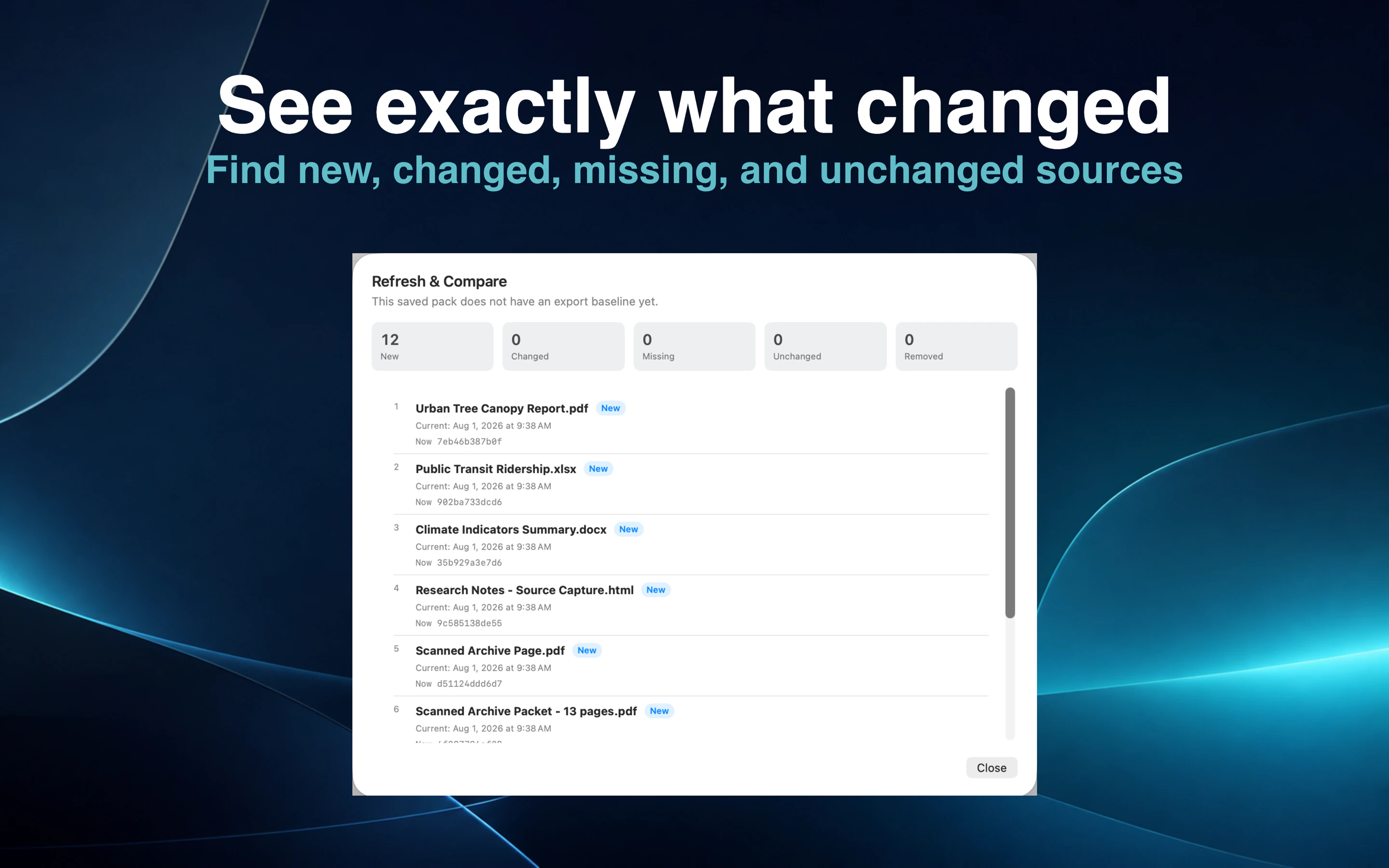
Use Refresh & Compare later to review changes, and revoke Local AI Access whenever the share is no longer needed.
Useful information rarely lives in one place. It is spread across reports, PDFs, slide decks, spreadsheets, scanned pages, notes, and browser tabs. SourceShelf brings those materials into a searchable local Library while preserving where each source came from.
Save a useful article from Safari, convert a folder of project documents, or use local OCR on a scanned PDF. SourceShelf turns the result into structured Markdown that remains accessible outside the app.
Build an ordered knowledge pack for a research project, course, client, investigation, or recurring task. Include only the sources that matter and arrange them in the order that makes sense.
A focused pack gives a compatible AI assistant relevant material without exposing the rest of your Library or repeatedly attaching the same files.
SourceShelf is not another AI chatbot and does not lock your knowledge to one model. A compatible AI client on your Mac can connect to a saved pack through read-only Model Context Protocol access.
The client may use a model running locally on your Mac or a cloud-backed model. SourceShelf itself does not upload the pack or call an AI service.
Each Local AI authorization creates an immutable snapshot containing only the saved pack you selected. AI clients can search that snapshot and read bounded passages, but they cannot change your sources or browse arbitrary files.
Original file paths, security bookmarks, output-folder locations, and unselected Library items are not included. Stop sharing the pack at any time to invalidate the connection.
SourceShelf's generated sources are ordinary Markdown files. Open them in your preferred editor, make changes, and return to SourceShelf when you are ready.
Refresh & Compare shows what was added, changed, removed, or left unchanged before you update an export or shared AI snapshot.
How it works
Save a webpage or convert documents, folders, images, and scanned PDFs.
Search your Library and create a focused, ordered knowledge pack.
Export a portable reference pack or share the saved pack read-only with a compatible AI client.
Common questions
No. SourceShelf prepares and organizes knowledge for compatible AI applications. You remain free to choose the local or cloud-backed model you use.
No. SourceShelf performs its own capture, conversion, OCR, organization, and export work locally on your Mac.
Yes, when the model is used through a compatible AI client. SourceShelf provides focused search results and bounded source passages so the client does not need to load every document at once.
No. SourceShelf's MCP access is read-only and limited to the immutable snapshot of the pack you authorize.
Keep your knowledge local, portable, and deliberately scoped for the AI workflow you choose.